Skip to content

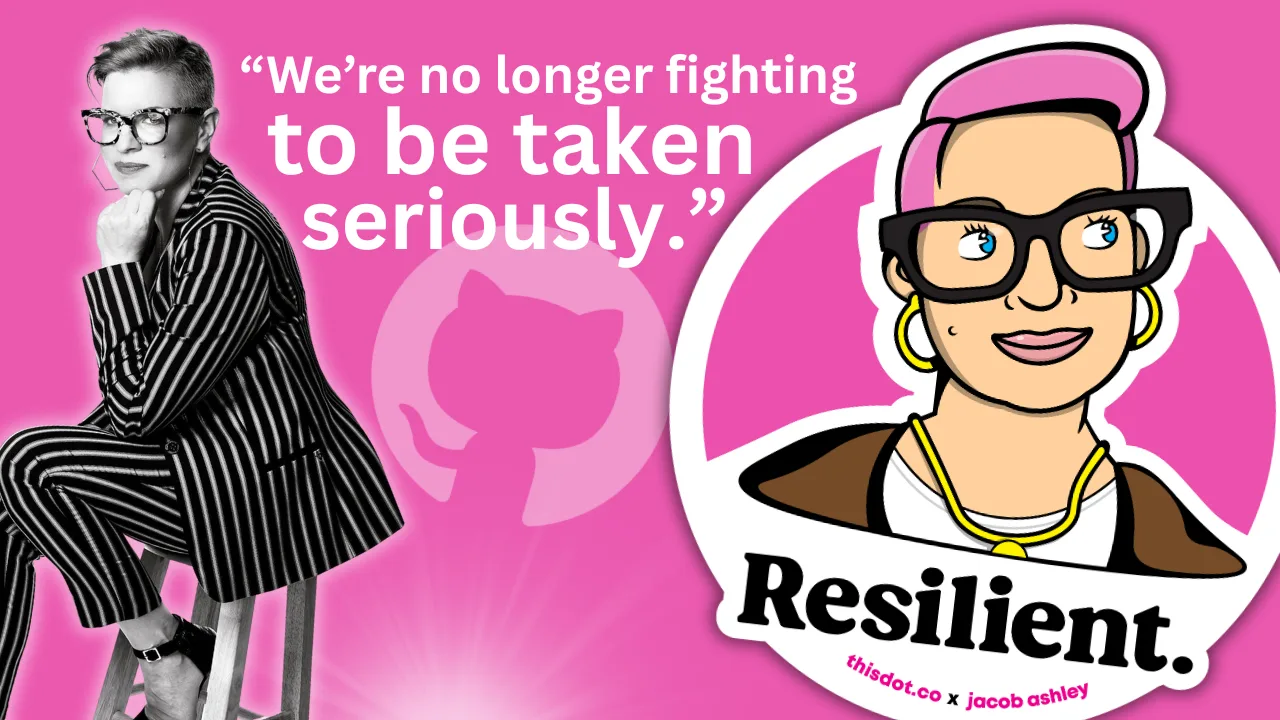
“We were seen as amplifiers, not collaborators,” Ashley Willis, Sr. Director of Developer Relations at GitHub, on How DevRel has Changed, Open Source, and Holding Space as a Leader

“We were seen as amplifiers, not collaborators,” Ashley Willis, Sr. Director of Developer Relations at GitHub, on How DevRel has Changed, Open Source, and Holding Space as a Leader

Ashley Willis has seen Developer Relations evolve from being on the sidelines of the tech team to having a seat at the strategy table.

In her ten years in the space, she’s done more than give great conference talks or build community—she’s helped shape what the DevRel role looks like for software providers. Now as the Senior Director of Developer Relations at GitHub, Ashley is focused on building spaces where developers feel heard, seen, and supported.

“A decade ago, we were seen as amplifiers, not collaborators,” she says. “Now we’re influencing product roadmaps and shaping developer experience end to end.”

DevRel Has Changed

For Ashley, the biggest shift hasn’t been the work itself—but how it’s understood.

“The work is still outward-facing, but it’s backed by real strategic weight,” she explains. “We’re showing up in research calls and incident reviews, not just keynotes.”

That shift matters, but it’s not the finish line. Ashley is still pushing for change when it comes to burnout, representation, and sustainable metrics that go beyond conference ROI.

“We’re no longer fighting to be taken seriously. That’s a win. But there’s more work to do.”

Talking Less as a Leader

When we asked what the best advice Ashley ever received, she shared an early lesson she received from a mentor: “Your presence should create safety, not pressure.”

“It reframed how I saw my role,” she says. “Not as the one with answers, but the one who holds the space.”

Ashley knows what it’s like to be in rooms where it’s hard to speak up. She leads with that memory in mind, and by listening more than talking, normalizing breaks, and creating environments where others can lead too.

“Leadership is emotional labor. It’s not about being in control. It’s about making it safe for others to lead, too.”

Scaling More Than Just Tech

Having worked inside high-growth companies, Ashley knows firsthand: scaling tech is one thing. Scaling trust is another.

“Tech will break. Roadmaps will shift. But if there’s trust between product and engineering, between company and community—you can adapt.”

And she’s learned not to fall for premature optimization. Scale what you have. Don’t over-design for problems you don’t have yet.

Free Open Source Isn’t Free

There’s one myth Ashley is eager to debunk: that open source is “free.”

“Open source isn’t free labor. It’s labor that’s freely given,” she says. “And it includes more than just code. There’s documentation, moderation, mentoring, emotional care. None of it is effortless.”

Open source runs on human energy. And when we treat contributors like an infinite resource, we risk burning them out, and breaking the ecosystem we all rely on.

“We talk a lot about open source as the foundation of innovation. But we rarely talk about sustaining the people who maintain that foundation.”

Burnout is Not Admirable

Early in her career, Ashley wore burnout like a badge of honor. She doesn’t anymore.

“Burnout doesn’t prove commitment,” she says. “It just dulls your spark.”

Now, she treats rest as productive. And she’s learned that clarity is kindness—especially when giving feedback.

“I thought being liked was the same as being kind. It’s not. Kindness is honesty with empathy.”

The Most Underrated GitHub Feature?

Ashley’s pick: personal instructions in GitHub Copilot.

Most users don’t realize they can shape how Copilot writes, like its tone, assumptions, and context awareness.

Her own instructions are specific: empathetic, plainspoken, technical without being condescending. For Ashley, that helps reduce cognitive load and makes the tool feel more human.

“Most people skip over this setting. But it’s one of the best ways to make Copilot more useful—and more humane.”

Connect with Ashley Willis

She has been building better systems for over a decade. Whether it’s shaping Copilot UX, creating safer teams, or speaking truth about the labor behind open source, she’s doing the quiet work that drives sustainable change.

Follow Ashley on BlueSky to learn more about her work, her maker projects, and the small things that keep her grounded in a fast-moving industry.

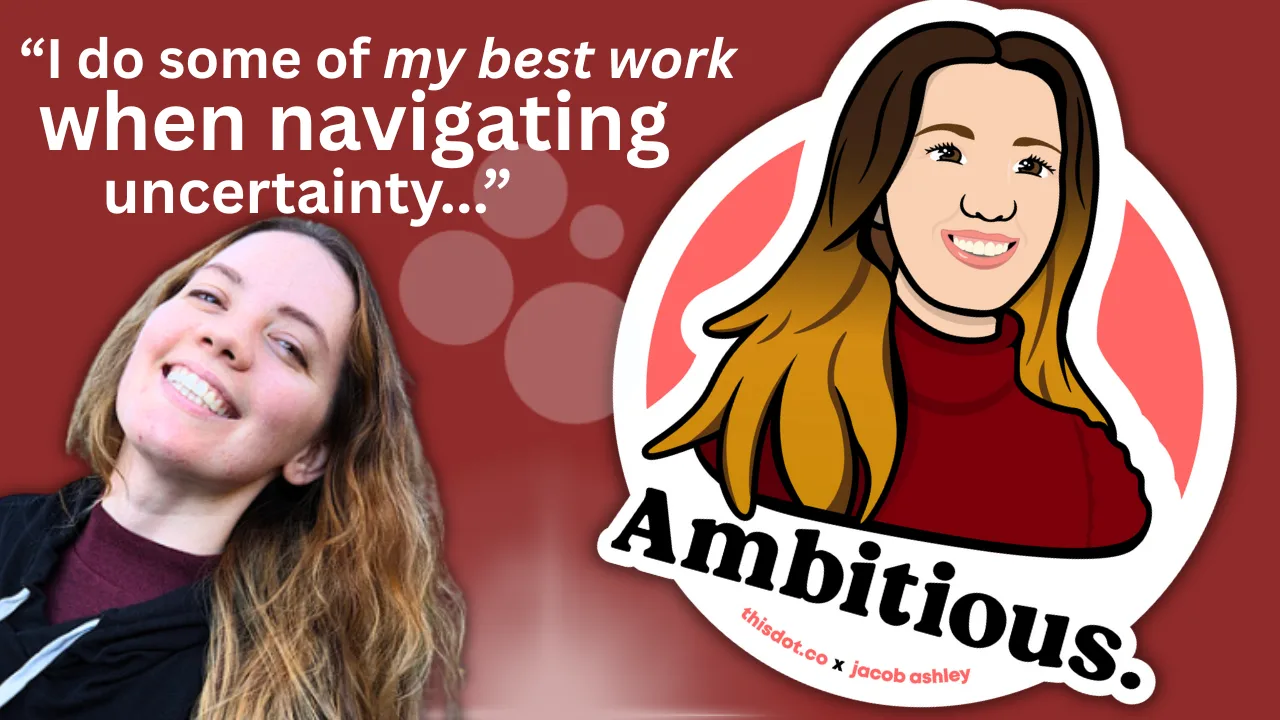
Sticker Illustration by Jacob Ashley.
This Dot is a consultancy dedicated to guiding companies through their modernization and digital transformation journeys. Specializing in replatforming, modernizing, and launching new initiatives, we stand out by taking true ownership of your engineering projects.

We love helping teams with projects that have missed their deadlines or helping keep your strategic digital initiatives on course. Check out our case studies and our clients that trust us with their engineering.

You might also like

“ChatGPT knows me pretty well… but it drew me as a white man with a man bun.” – Angie Jones on AI Bias, DevRel, and Block’s new open source AI agent “goose” cover image

“ChatGPT knows me pretty well… but it drew me as a white man with a man bun.” – Angie Jones on AI Bias, DevRel, and Block’s new open source AI agent “goose”

Angie Jones is a veteran innovator, educator, and inventor with over twenty years of industry experience and twenty-seven digital technology patents both domestically and internationally. As the VP of Developer Relations at Block, she facilitates developer training and enablement, delivering tools for developer users and open source contributors. However, her educational work doesn’t end with her day job. She is also a contributor to multiple books examining the intersection of technology and career, including *DevOps: Implementing Cultural Change*, and *97 Things Every Java Programmer Should Know*, and is an active speaker in the global developer conference circuit. With the release of Block’s new open source AI agent “goose”, Angie drives conversations around AI’s role in developer productivity, ethical practices, and the application of intelligent tooling. We had the chance to talk with her about the evolution of DevRel, what makes a great leader, emergent data governance practices, women who are crushing it right now in the industry, and more: Developer Advocacy is Mainstream A decade ago, Developer Relations (DevRel) wasn’t the established field it is today. It was often called Developer Evangelism, and fewer companies saw the value in having engineers speak directly to other engineers. > “Developer Relations was more of a niche space. It’s become much more mainstream these days with pretty much every developer-focused company realizing that the best way to reach developers is with their peers.” That shift has opened up more opportunities for engineers who enjoy teaching, community-building, and breaking down complex technical concepts. But because DevRel straddles multiple functions, its place within an organization remains up for debate—should it sit within Engineering, Product, Marketing, or even its own department? There’s no single answer, but its cross-functional nature makes it a crucial bridge between technical teams and the developers they serve. Leadership Is Not an Extension of Engineering Excellence Most engineers assume that excelling as an IC is enough to prepare them for leadership, but Angie warns that this is a common misconception. She’s seen firsthand how technical skills don’t always equate to strong leadership abilities—we’ve all worked under leaders who made us wonder *how they got there*. When she was promoted into leadership, Angie was determined not to become one of those leaders: > “This required humility. Acknowledging that while I was an expert in one area, I was a novice in another.” Instead of assuming leadership would come naturally, she took a deliberate approach to learning—taking courses, reading books, and working with executive coaches to build leadership skills the right way. Goose: An Open Source AI Assistant That Works for You At Block, Angie is working on a tool called goose, an open-source AI agent that runs locally on your machine. Unlike many AI assistants that are locked into specific platforms, goose is designed to be fully customizable: > “You can use your LLM of choice and integrate it with any API through the Model Context Protocol (MCP).” That flexibility means goose can be tailored to fit developers’ workflows. Angie gives an example of what this looks like in action: > “Goose, take this Figma file and build out all of the components for it. Check them into a new GitHub repo called @org/design-components and send a message to the #design channel in Slack informing them of the changes.” And just like that, it’s done— no manual intervention required. The Future of Data Governance As AI adoption accelerates, data governance has become a top priority for companies. Strong governance requires clear policies, security measures, and accountability. Angie points out that organizations are already making moves in this space: > “Cisco recently launched a product called AI Defense to help organizations enhance their data governance frameworks and ensure that AI deployments align with established data policies and compliance requirements.” According to Angie, in the next five years, we can expect more structured frameworks around AI data usage, especially as businesses navigate privacy concerns and regulatory compliance. Bias in AI Career Tools: Helping or Hurting? AI-powered resume screeners and promotion predictors are becoming more common in hiring, but are they helping or hurting underrepresented groups? Angie’s own experience with AI bias was eye-opening: > “I use ChatGPT every day. It knows me pretty well. I asked it to draw a picture of what it thinks my current life looks like, and it drew me as a white male (with a man bun).” When she called it out, the AI responded: > “No, I don’t picture you that way at all, but it sounds like the illustration might’ve leaned into the tech stereotype aesthetic a little too much.” This illustrates a bigger problem— AI often reflects human biases at scale. However, there are emerging solutions, such as identity masking, which removes names, race, and gender markers so that only skills are evaluated. > “In scenarios like this, minorities are given a fairer shot.” It’s a step toward a more equitable hiring process, but it also surfaces the need for constant vigilance in AI development to prevent harmful biases. Women at the Forefront of AI Innovation While AI is reshaping nearly every industry, women are playing a leading role in its development. Angie highlights several technologists: > “I’m so proud to see women are already at the forefront of AI innovation. I see amazing women leading AI research, training, and development such as Mira Murati, Timnit Gebru, Joelle Pineau, Meredith Whittaker, and even Block’s own VP of Data & AI, Jackie Brosamer.” These women are influencing not just the technical advancements in AI but also the ethical considerations that come with it. Connect with Angie Angie Jones is an undeniable pillar of the online JavaScript community, and it isn’t hard to connect with her! You can find Angie on X (Twitter), Linkedin, or on her personal site (where you can also access her free Linkedin Courses). Learn more about goose by Block. Sticker Illustration by Jacob Ashley...

Psychologically Safe Workplaces with Krystal Smith-Moore cover image

Psychologically Safe Workplaces with Krystal Smith-Moore

Krystal Smith-Moore, Engineering Manager at Spotify, shares her journey from a non-traditional background to management, and how it informs her empathetic leadership approach. Krystal emphasizes the significance of self-awareness, seeking support, and aligning personal values with management roles. By ensuring our values align with the company's mission and culture, we can create a more fulfilling leadership experience. Krystal stresses the need for self-care, setting boundaries to prevent burnout, and recognizing when it's time to recharge. By prioritizing self-care, leaders can maintain their energy and enthusiasm, leading to better decision-making and a more positive work environment. She also discusses the importance of empathy, continuous learning, and creating psychologically safe workplaces where employees feel comfortable expressing their ideas and concerns. By aligning personal values with management roles, prioritizing self-care, and fostering a psychologically safe workplace, leaders can create a positive and impactful experience for themselves and their teams. Download this episode here....

Implementing Dynamic Types in Docusign Extension Apps cover image

Implementing Dynamic Types in Docusign Extension Apps

Implementing Dynamic Types in Docusign Extension Apps In our previous blog post about Docusign Extension Apps, Advanced Authentication and Onboarding Workflows with Docusign Extension Apps, we touched on how you can extend the OAuth 2 flow to build a more powerful onboarding flow for your Extension Apps. In this blog post, we will continue explaining more advanced patterns in developing Extension Apps. For that reason, we assume at least basic familiarity with how Extension Apps work and ideally some experience developing them. To give a brief recap, Docusign Extension Apps are a powerful way to embed custom logic into Docusign agreement workflows. These apps are lightweight services, typically cloud-hosted, that integrate at specific workflow extension points to perform custom actions, such as data validation, participant input collection, or interaction with third-party services. Each Extension App is configured using a manifest file. This manifest defines metadata such as the app's author, support links, and the list of extension points it uses (these are the locations in the workflow where your app's logic will be executed). The extension points that are relevant for us in the context of this blog post are GetTypeNames and GetTypeDefinitions. These are used by Docusign to retrieve the types supported by the Extension App and their definitions, and to show them in the Maestro UI. In most apps, these types are static and rarely change. However, they don't have to be. They can also be dynamic and change based on certain configurations in the target system that the Extension App is integrating with, or based on the user role assigned to the Maestro administrator on the target system. Static vs. Dynamic Types To explain the difference between static and dynamic types, we'll use the example from our previous blog post, where we integrated with an imaginary task management system called TaskVibe. In the example, our Extension App enabled agreement workflows to communicate with TaskVibe, allowing tasks to be read, created, and updated. Our first approach to implementing the GetTypeNames and GetTypeDefinitions endpoints for the TaskVibe Extension App might look like the following. The GetTypeNames endpoint returns a single record named task: ` Given the type name task, the GetTypeDefinitions endpoint would return the following definition for that type: ` As noted in the Docusign documentation, this endpoint must return a Concerto schema representing the type. For clarity, we've omitted most of the Concerto-specific properties. The above declaration states that we have a task type, and this type has properties that correspond to task fields in TaskVibe, such as record ID, title, description, assignee, and so on. The type definition and its properties, as described above, are static and they never change. A TaskVibe task will always have the same properties, and these are essentially set in stone. Now, imagine a scenario where TaskVibe supports custom properties that are also project-dependent. One project in TaskVibe might follow a typical agile workflow with sprints, and the project manager might want a "Sprint" field in every task within that project. Another project might use a Kanban workflow, where the project manager wants a status field with values like "Backlog," "ToDo," and so on. With static types, we would need to return every possible field from any project as part of the GetTypeDefinitions response, and this introduces new challenges. For example, we might be dealing with hundreds of custom field types, and showing them in the Maestro UI might be too overwhelming for the Maestro administrator. Or we might be returning fields that are simply not usable by the Maestro administrator because they relate to projects the administrator doesn't have access to in TaskVibe. With dynamic types, however, we can support this level of customization. Implementing Dynamic Types When Docusign sends a request to the GetTypeNames endpoint and the types are dynamic, the Extension App has a bit more work than before. As we've mentioned earlier, we can no longer return a generic task type. Instead, we need to look into each of the TaskVibe projects the user has access to, and return the tasks as they are represented under each project, with all the custom fields. (Determining access can usually be done by making a query to a user information endpoint on the target system using the same OAuth 2 token used for other calls.) Once we find the task definitions on TaskVibe, we then need to return them in the response of GetTypeNames, where each type corresponds to a task for the given project. This is a big difference from static types, where we would only return a single, generic task. For example: ` The key point here is that we are now returning one type per task in a TaskVibe project. You can think of this as having a separate class for each type of task, in object-oriented lingo. The type name can be any string you choose, but it needs to be unique in the list, and it needs to contain the minimum information necessary to be able to distinguish it from other task definitions in the list. In our case, we've decided to form the ID by concatenating the string "task_" with the ID of the project on TaskVibe. The implementation of the GetTypeDefinitions endpoint needs to: 1. Extract the project ID from the requested type name. 1. Using the project ID, retrieve the task definition from TaskVibe for that project. This definition specifies which fields are present on the project's tasks, including all custom fields. 1. Once the fields are retrieved, map them to the properties of the Concerto schema. The resulting JSON could look like this (again, many of the Concerto properties have been omitted for clarity): ` Now, type definitions are fully dynamic and project-dependent. Caching of Type Definitions on Docusign Docusign maintains a cache of type definitions after an initial connection. This means that changes made to your integration (particularly when using dynamic types) might not be immediately visible in the Maestro UI. To ensure users see the latest data, it's useful to inform them that they may need to refresh their Docusign connection in the App Center UI if new fields are added to their integrated system (like TaskVibe). As an example, a newly added custom field on a TaskVibe project wouldn't be reflected until this refresh occurs. Conclusion In this blog post, we've explored how to leverage dynamic types within Docusign Extension Apps to create more flexible integrations with external systems. While static types offer simplicity, they can be constraining when working with external systems that offer a high level of customization. We hope that this blog post provides you with some ideas on how you can tackle similar problems in your Extension Apps....

The simplicity of deploying an MCP server on Vercel cover image

The simplicity of deploying an MCP server on Vercel

The current Model Context Protocol (MCP) spec is shifting developers toward lightweight, stateless servers that serve as tool providers for LLM agents. These MCP servers communicate over HTTP, with OAuth handled clientside. Vercel’s infrastructure makes it easy to iterate quickly and ship agentic AI tools without overhead. Example of Lightweight MCP Server Design At This Dot Labs, we built an MCP server that leverages the DocuSign Navigator API. The tools, like `get_agreements`, make a request to the DocuSign API to fetch data and then respond in an LLM-friendly way. ` Before the MCP can request anything, it needs to guide the client on how to kick off OAuth. This involves providing some MCP spec metadata API endpoints that include necessary information about where to obtain authorization tokens and what resources it can access. By understanding these details, the client can seamlessly initiate the OAuth process, ensuring secure and efficient data access. The Oauth flow begins when the user's LLM client makes a request without a valid auth token. In this case they’ll get a 401 response from our server with a WWW-Authenticate header, and then the client will leverage the metadata we exposed to discover the authorization server. Next, the OAuth flow kicks off directly with Docusign as directed by the metadata. Once the client has the token, it passes it in the Authorization header for tool requests to the API. ` This minimal set of API routes enables me to fetch Docusign Navigator data using natural language in my agent chat interface. Deployment Options I deployed this MCP server two different ways: as a Fastify backend and then by Vercel functions. Seeing how simple my Fastify MCP server was, and not really having a plan for deployment yet, I was eager to rewrite it for Vercel. The case for Vercel: * My own familiarity with Next.js API deployment * Fit for architecture * The extremely simple deployment process * Deploy previews (the eternal Vercel customer conversion feature, IMO) Previews of unfamiliar territory Did you know that the MCP spec doesn’t “just work” for use as ChatGPT tooling? Neither did I, and I had to experiment to prove out requirements that I was unfamiliar with. Part of moving fast for me was just deploying Vercel previews right out of the CLI so I could test my API as a Connector in ChatGPT. This was a great workflow for me, and invaluable for the team in code review. Stuff I’m Not Worried About Vercel’s mcp-handler package made setup effortless by abstracting away some of the complexity of implementing the MCP server. It gives you a drop-in way to define tools, setup https-streaming, and handle Oauth. By building on Vercel’s ecosystem, I can focus entirely on shipping my product without worrying about deployment, scaling, or server management. Everything just works. ` A Brief Case for MCP on Next.js Building an API without Next.js on Vercel is straightforward. Though, I’d be happy deploying this as a Next.js app, with the frontend features serving as the documentation, or the tools being a part of your website's agentic capabilities. Overall, this lowers the barrier to building any MCP you want for yourself, and I think that’s cool. Conclusion I'll avoid quoting Vercel documentation in this post. AI tooling is a critical component of this natural language UI, and we just want to ship. I declare Vercel is excellent for stateless MCP servers served over http....

Let's innovate together!

We're ready to be your trusted technical partners in your digital innovation journey.

Whether it's modernization or custom software solutions, our team of experts can guide you through best practices and how to build scalable, performant software that lasts.

Prefer email? hi@thisdot.co